Page File Configuration
To improve system stability (specially if you have only 16 gb of RAM or a GPU under 8 GB VRAM) you need to setup a custom page file system on your PC, preferably on the fastest SSD you have available (which should be the SSD you have Genesis on anyway)
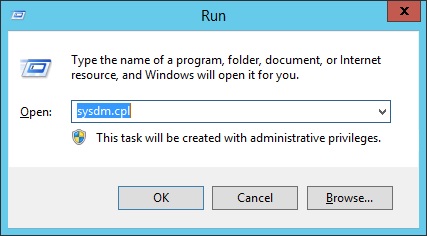
To do this, hit the Windows keyboard key and R key simultaneously, type sysdm.cpl, and click OK
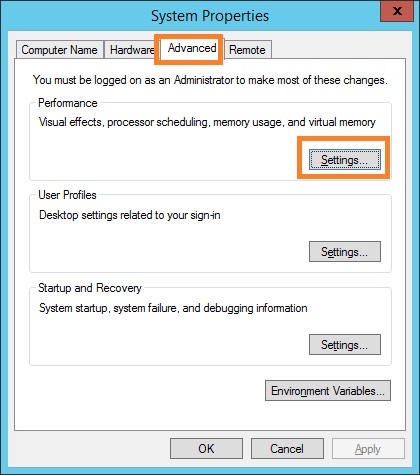
Select the Advanced tab and under Performance click on Settings
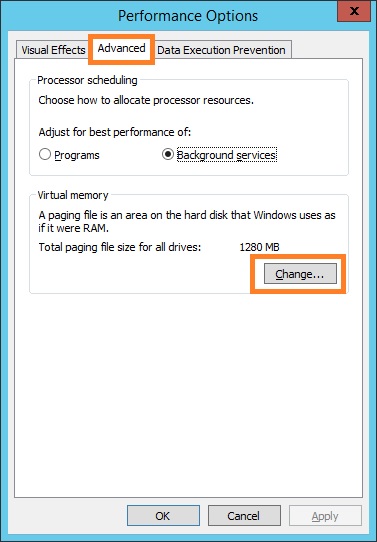
Select the Advanced tab and click on Change
Uncheck Automatically manage page file size for all drives
Select your SSD drive and click on Custom Size
Set both the initial and maximum size to 80000 and click on Set
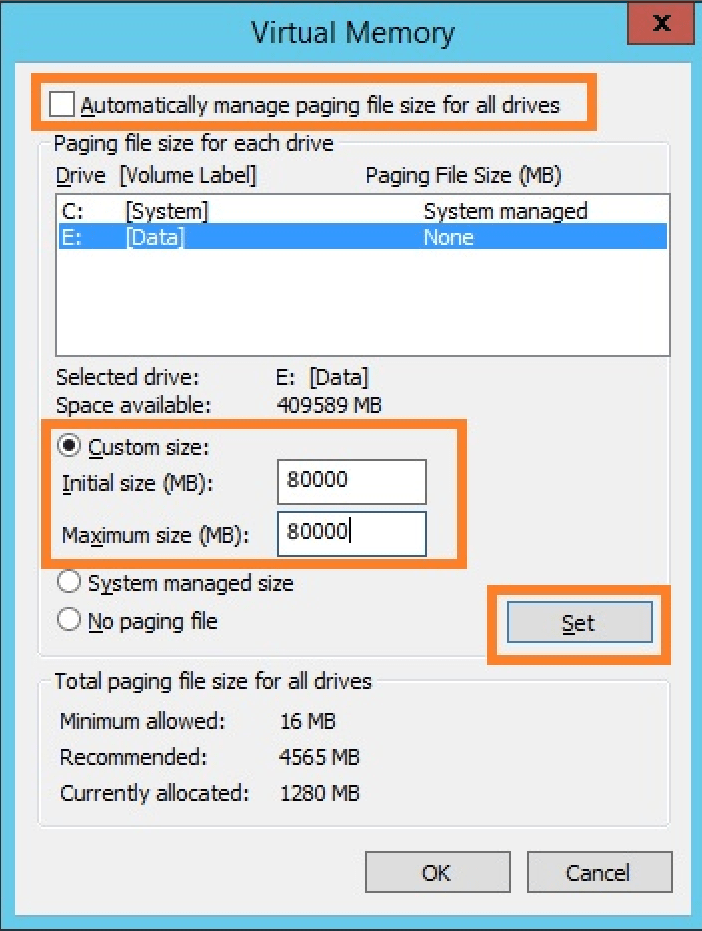
Don’t forget that the size you set will be taken as used space on your drive.
Click on OK (a reboot will be required)
 Star Wars Genesis